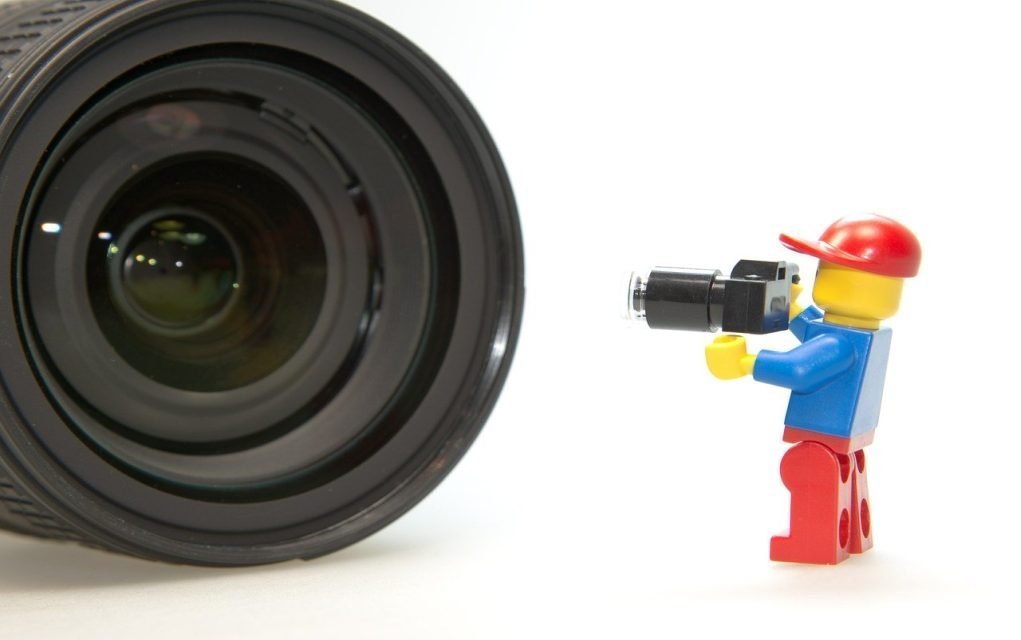
Stop motion movies are great fun to make with your kids, and they’re a bit of fun for adults too! You don’t need expensive equipment, and it’s not that difficult either — all you need is a bit of patience. Here’s the Beginner’s Guide to how to make a stop motion movie, brought to you by Brick Flicks.
Don’t miss our best content straight to your inbox! Sign up now and get our FREE newsletters packed with fun ideas and things to do with the kids, family-friendly recipes, expert advice, parenting tips and great competitions.
If you’re not familiar with stop motion movies, they’re made using an animation technique that makes objects or characters appear to move on their own. The object or character is moved in small increments between individually photographed frames, creating the illusion of movement when the series of pictures is played as a continuous sequence. Films like Paranorman, Wallace & Gromit, Fantastic Mr Fox and Coraline all use this technique.
So you’ve decided to have a go at making your own stop motion movie. Here are our tips.
How To Make A Stop Motion Movie
#1. Decide on Your Movie’s Story
This is an important step as it will save you tons of time later. Decide what your movie is going to be about, what the storyline will be and who the main characters are.
You might like to make a storyboard for your movie — take a page and draw out the main events in your story as if you were creating a cartoon.
Get some inspiration from the 10 Best Stop Motion Movies of all Time
#2. Get Your Equipment Ready
You’ll need:
- a camera, or a smartphone or tablet with a camera
- a stand to hold your camera — you can improvise and make something just to hold the camera steady and in the same position
- your characters — you can use little characters made from toys, or make new ones from plasticine
- your props — anything you want your characters to stand beside or use, e.g. doll’s house furniture
- a backdrop — you might want to use a white sheet or blank wall, or make your own backdrop
“Build a stand out of Lego for your phone so it does not wobble. Bits of sticky tape/blue tack are also handy to keep sets and figurines in place.” — Donal
#3. Create Your Film Set
 Find a place that has consistent lighting (not beside a window where sunlight might be streaming in).
Set up your backdrop and position your characters and props ready for the first picture.
For our Mykidstime Lego Stop Motion Christmas Movie, we built a set out of Lego and had it against a red background.
Place your camera in front of the set and make sure it is steady on its stand.
Take a test picture to make sure the result is light enough, and if not, adjust your lighting.
You Might Also Enjoy 33 Fun Projects for Kids aged 8-12
#4. Take Pictures
Take your first picture. Then move the characters or props slightly and take another picture. It’s recommended not to move them more than an inch each time. Repeat until you’ve finished the “story”.
#5. You Could Use An App Too
There are also plenty of stop motion apps available which can help simplify the process, as they let you take your photos and edit within the app. Here are three we can recommend:
####  Stop Motion Studio
Available on Android or for iPhone/iPad, Stop Motion Studio lets you record the shots and add sound effects and a title/end sequence.
“I found this app to be the best of the ones I tried for my Windows phone.” — Donal
####  Lego Movie Maker
Available for iPhone/iPad, Lego Movie Maker is a free, kid-friendly app that lets you make your stop motion movie from start to finish within the app. There are options to change speed and screen template, and you can also add music and voiceover to maximise the fun!
“My 9 year old son loves this app — it’s really straightforward to use, very kid-friendly, and he’s used it to create lots of his own Lego movies and movies with other characters.” — Jennifer
####  iMotion
Available for iPhone/iPad, iMotion is similar to the Lego Movie Maker app in that you can make a stop motion movie from start to finish within the app. It offers more functionality in terms of frame capture and editing capability. The free version is quite limited and offers in-app purchases for music, effects and so on, while a paid pro version removes these limits — check the App Store for current pricing.
“This is probably better suited to older kids — not as kid-friendly, and more limited on the free version.” — Jennifer
You Might Also Enjoy 10 Handiest Apps for Stop Motion Animation
#6. Import Pictures (if not using an App)
Save the pictures onto your laptop, PC or Mac.
Import your pictures into a video editing app — iMovie on a Mac, or another editing app you have available. Adjust the duration of your pictures so that they’re very short, e.g. 500–800 milliseconds. Most editing apps have simple instructions built in for changing photo duration in a slideshow or timeline.
“I imported into a video editor to do the sequencing and some extra editing and adding the music.” — Donal
#7. Arrange the Photos
Select all of the photos you want to add and drag them into the timeline in your editing app. If you’re using a stop motion app instead, select the pictures you want to keep and arrange them as needed to build the correct storyline.
#8. Add a Bit of Polish
Add a title screen at the start and a credits screen at the end of your movie. You can also add music. Tip: make sure any music you use isn’t copyrighted if you plan to share your movie on YouTube or other social media platforms. You can find uncopyrighted, downloadable music by searching online — just remember to credit the composer.
Over to you now. Did you find this guide to how to make a stop motion film useful? Any other tips? Tell us in the comments below — we would love to hear from you!

Frequently Asked Questions
What equipment do I need to make a stop motion movie?
Just a camera, smartphone or tablet, a steady stand to hold it in place, some characters (toys or plasticine work well), any props, and a simple backdrop such as a sheet or blank wall.
How many photos do I need to take?
You take a picture, move your characters or props a small amount (no more than about an inch), then take another picture, repeating this until your story is finished. The more photos you take, the smoother the final movement will look.
Do I need special software or an app?
Not necessarily — you can shoot your photos with any camera and import them into a video editor, adjusting each photo’s duration to around 500–800 milliseconds. Alternatively, dedicated stop motion apps like Stop Motion Studio, Lego Movie Maker or iMotion let you shoot and edit within one app, which is often easier for beginners.
Can I add music to my stop motion movie?
Yes — just make sure any music you use isn’t copyrighted if you plan to share your movie on YouTube or social media. Look for uncopyrighted, downloadable music and credit the composer.
Related Articles
- 33 Fun Projects for Kids aged 8-12
- 10 Handiest Apps for Stop Motion Animation
- Our Review of Paranorman
Looking For More Rainy Day Ideas?
Stop motion movie-making is the perfect rainy day project — no expensive gear, just imagination and patience. Browse our full collection of rainy day activity ideas for more ways to keep the kids entertained indoors.
Don’t Miss Out
Want more fun project ideas like this delivered straight to your inbox? Sign up for our free newsletter for weekly activity ideas, family-friendly recipes and parenting tips.